Case Study
Developer Experience & AI-Assisted Workflows (AWS)
Helping developers understand complex systems through clear, AI-assisted interaction patterns.
Problem
Developers using large-scale cloud systems struggled to interpret system state, errors, and next steps—especially as AI assistance was introduced. The challenge was adding intelligence without overwhelming or interrupting developer flow.
What I did
I designed AI-assisted workflows and system-level UX patterns that translate complex technical behavior into understandable, actionable guidance. I worked in ambiguous problem spaces alongside product and engineering to define both UX and product direction, focusing on interaction models that could scale across teams.
Outcome
The designs improved usability across key workflows and helped establish consistent patterns for AI-assisted guidance. This work informed broader platform UX decisions and supported faster iteration without sacrificing clarity, trust, or accountability.
Workstreams
1) Assigning issues and epics to Amazon Q
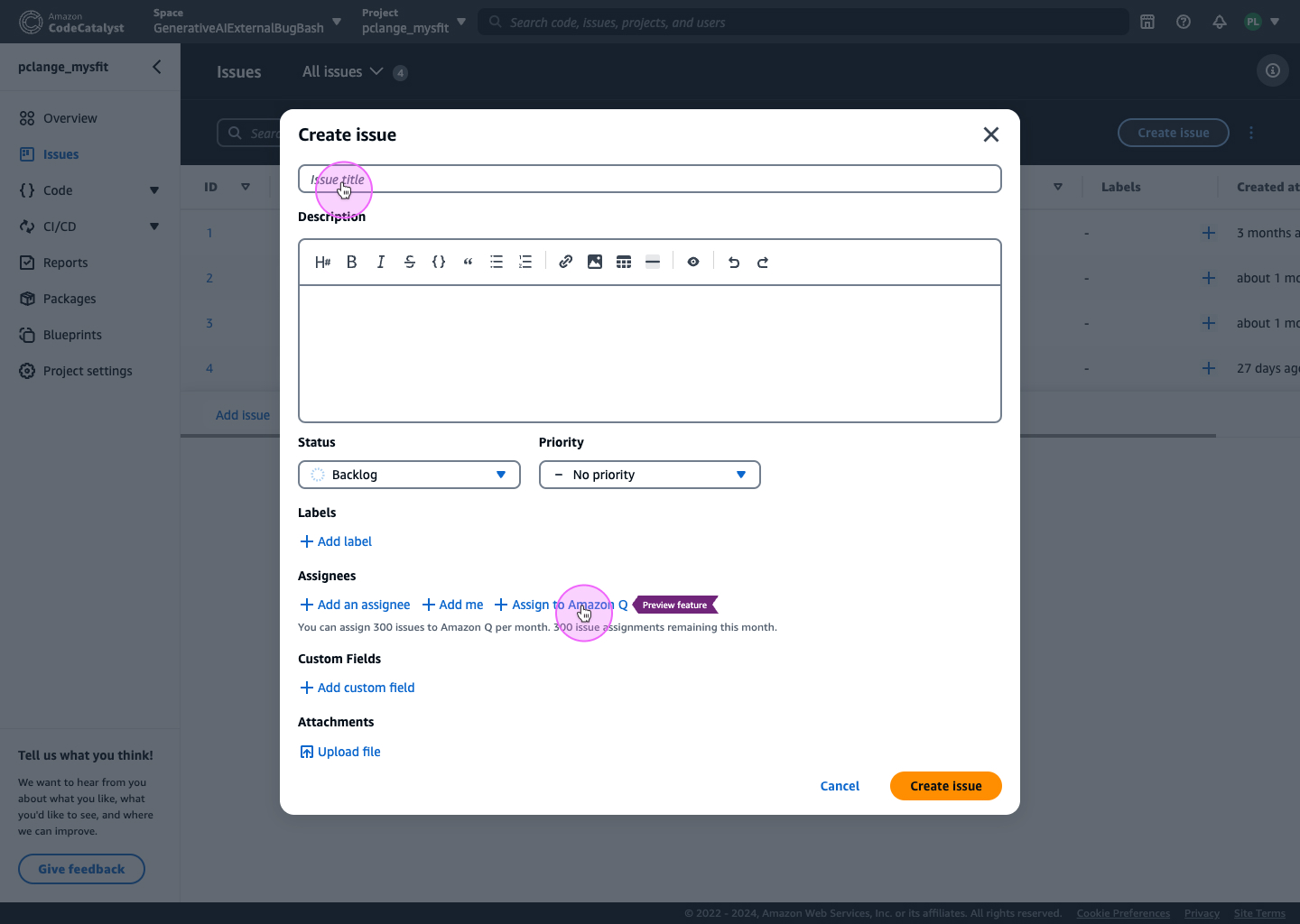
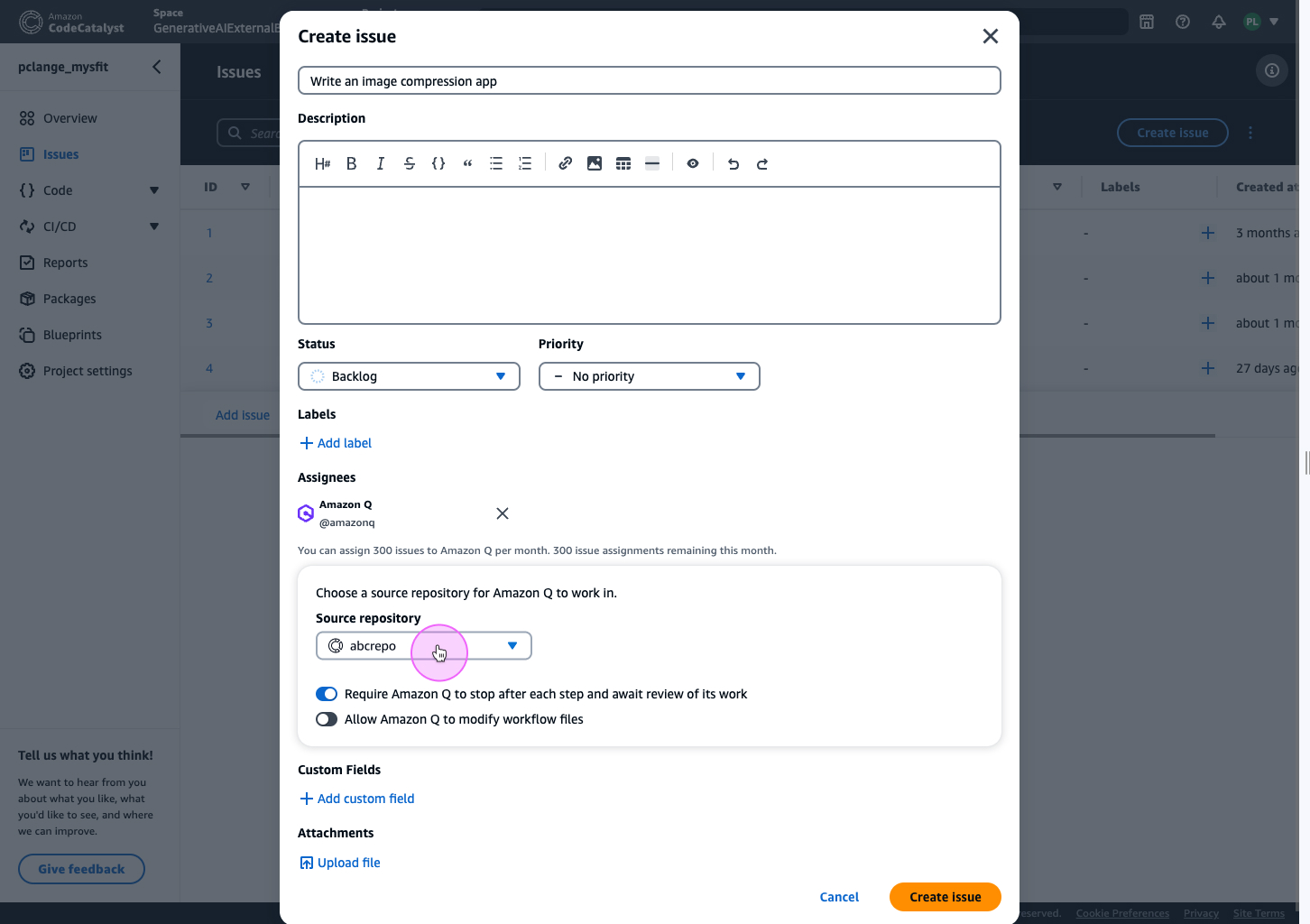
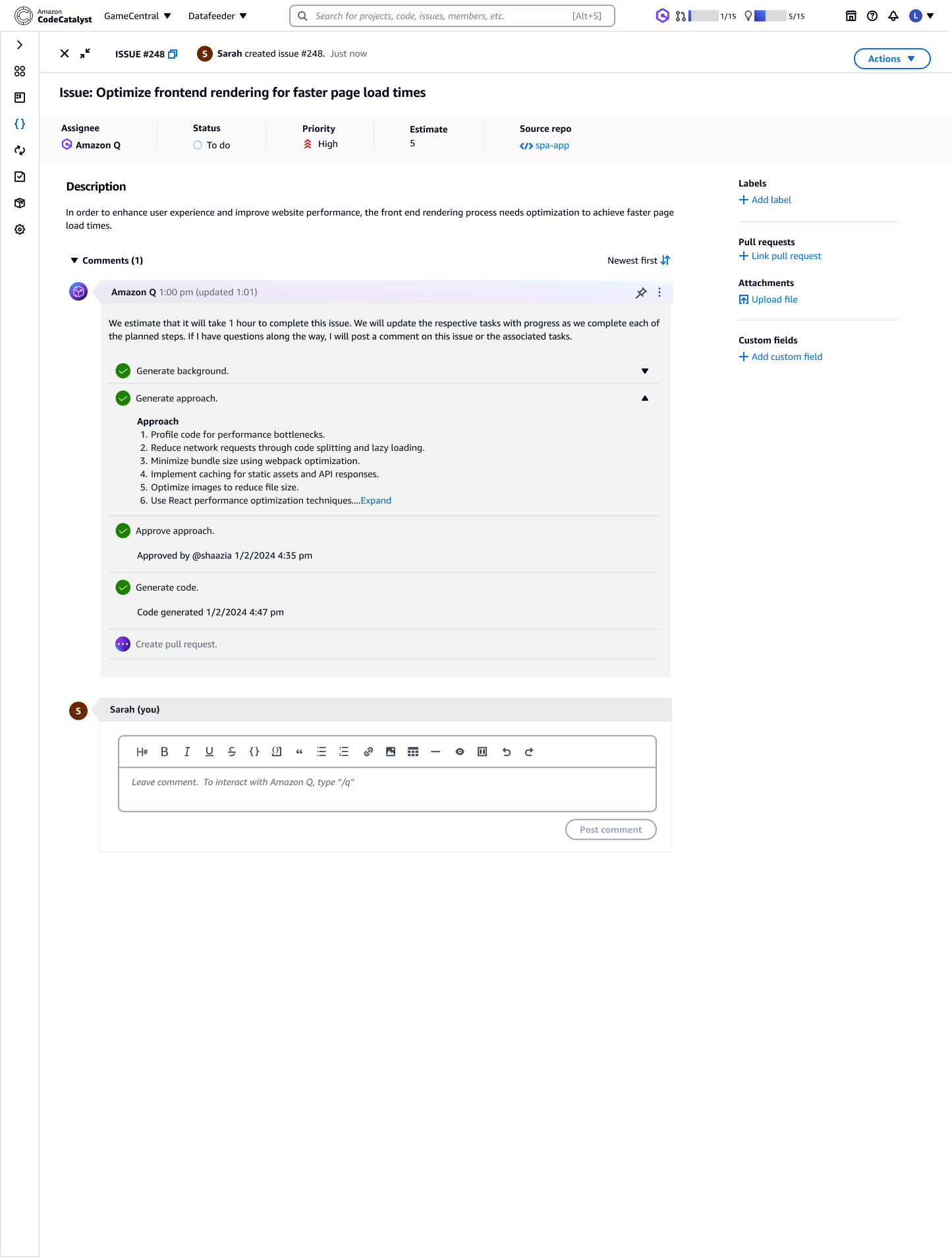
Issue creation is a natural entry point: developers already describe intent, but translating that intent into structured, executable work takes time. The opportunity was to allow teams to assign issues (and epics) to Amazon Q to generate plans and code— without overwhelming users with internal detail.
A key tension emerged early: showing too much internal AI data reduced validation—developers were less likely to review output when the interface looked “too complete” or overly technical. Showing too little felt opaque. We designed a middle layer: clear status, human-readable progress, and explicit decision points.
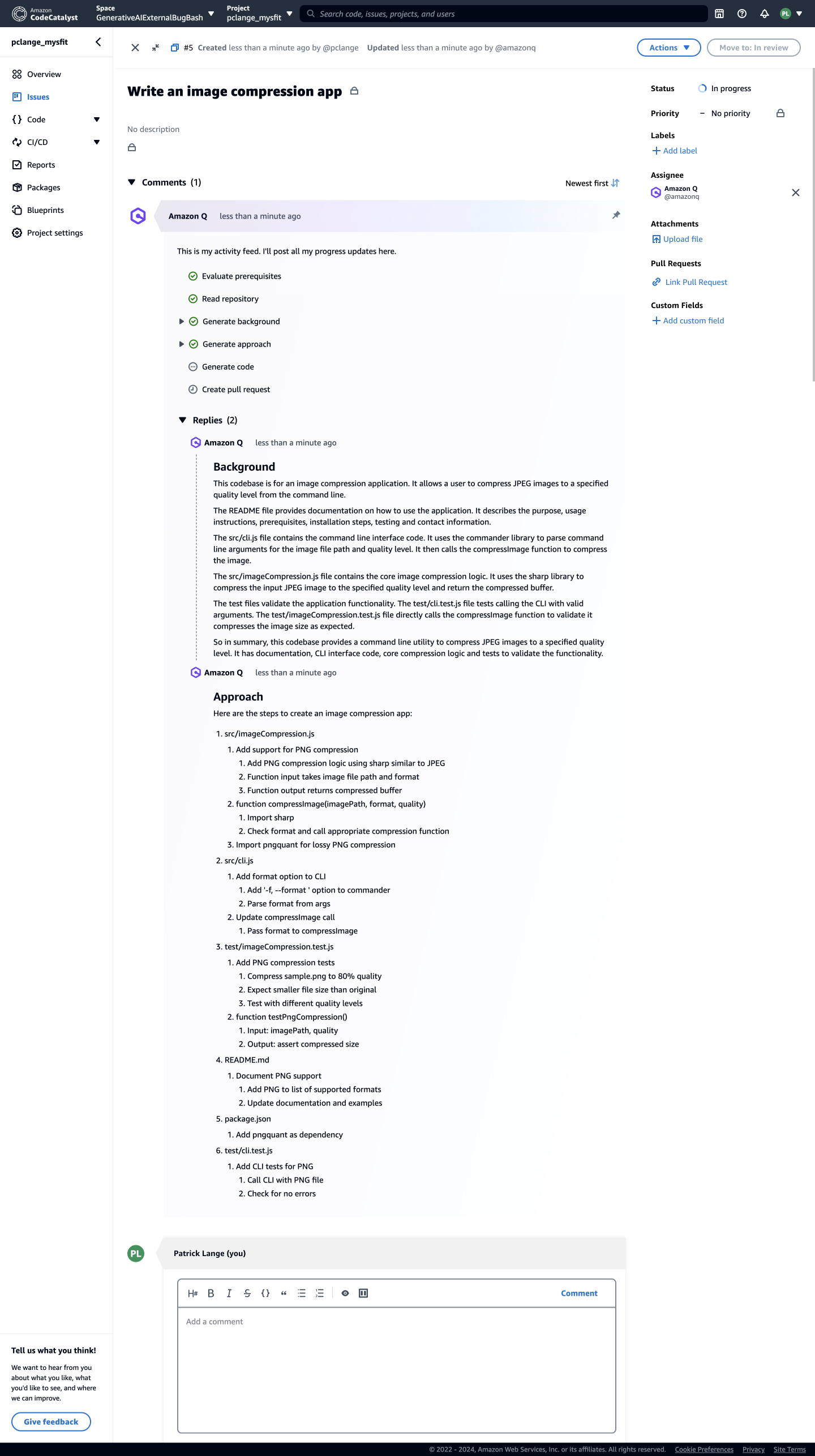
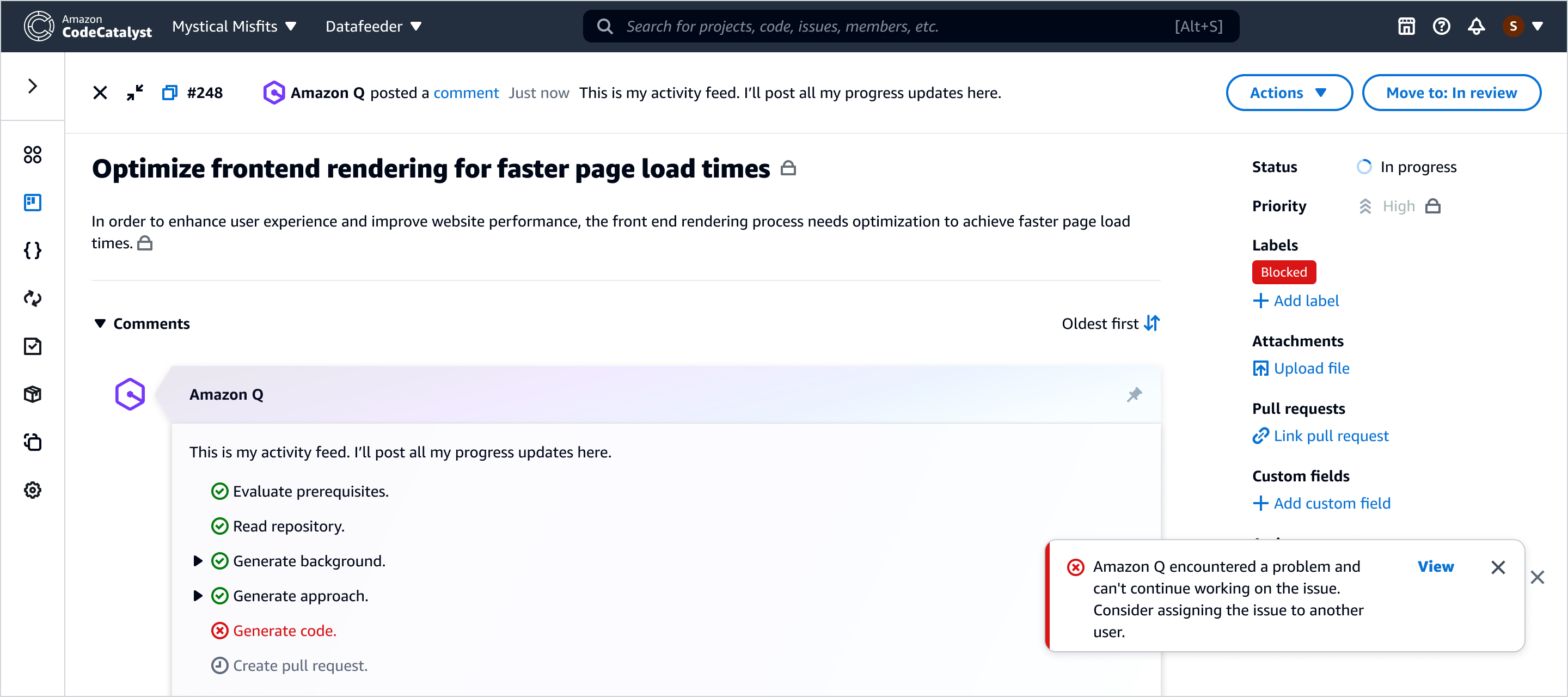
Trust surface: the activity feed
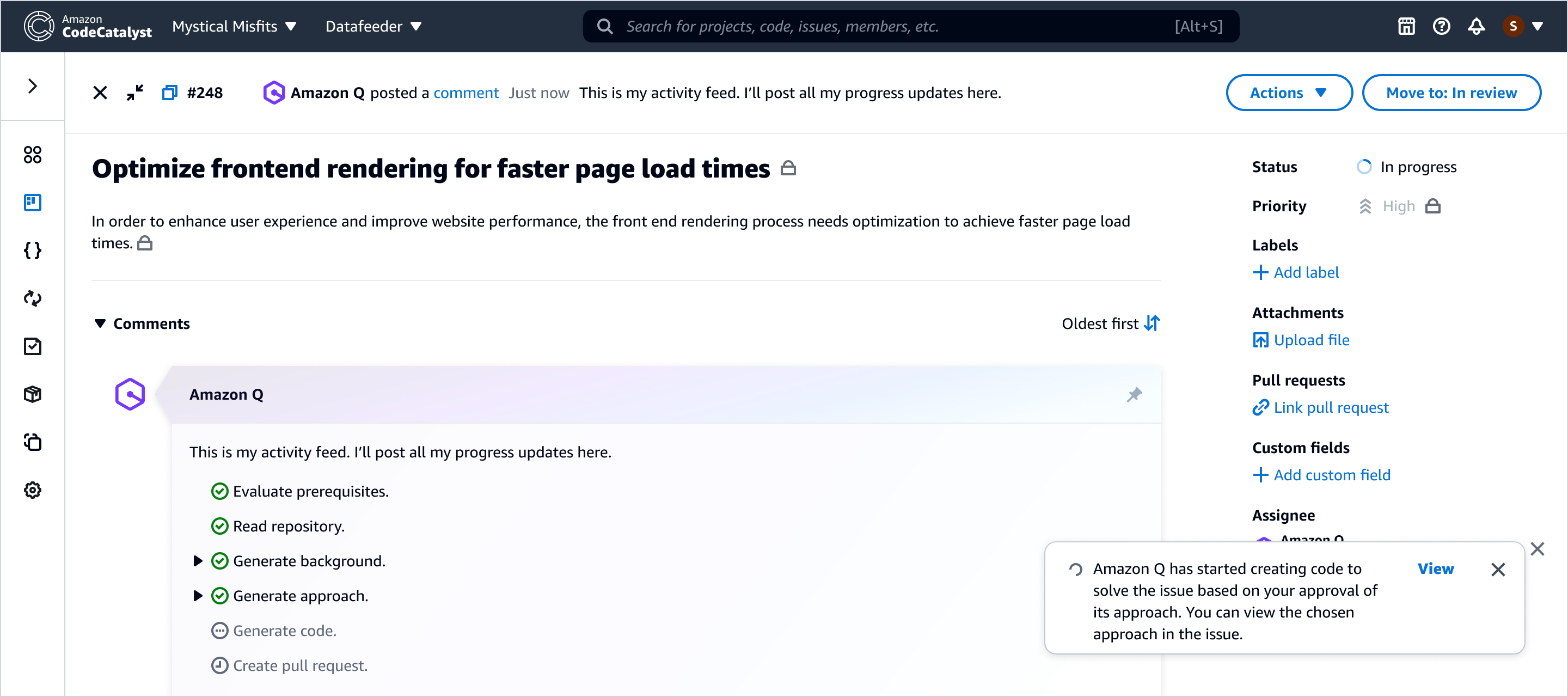
Once Amazon Q is assigned work, developers need one place where progress is visible and reviewable without constant monitoring. We designed the activity feed as the trust surface—summarizing intent, progress, and decision points rather than exposing raw execution detail.
Designing for failure without breaking momentum
AI-assisted workflows must treat failure states as first-class. When Amazon Q can’t proceed—missing context, permission limits, conflicts, or blocked execution—the UI should be explicit about what happened and provide a next best action that preserves momentum.
2) Amazon Q in the pull request workflow
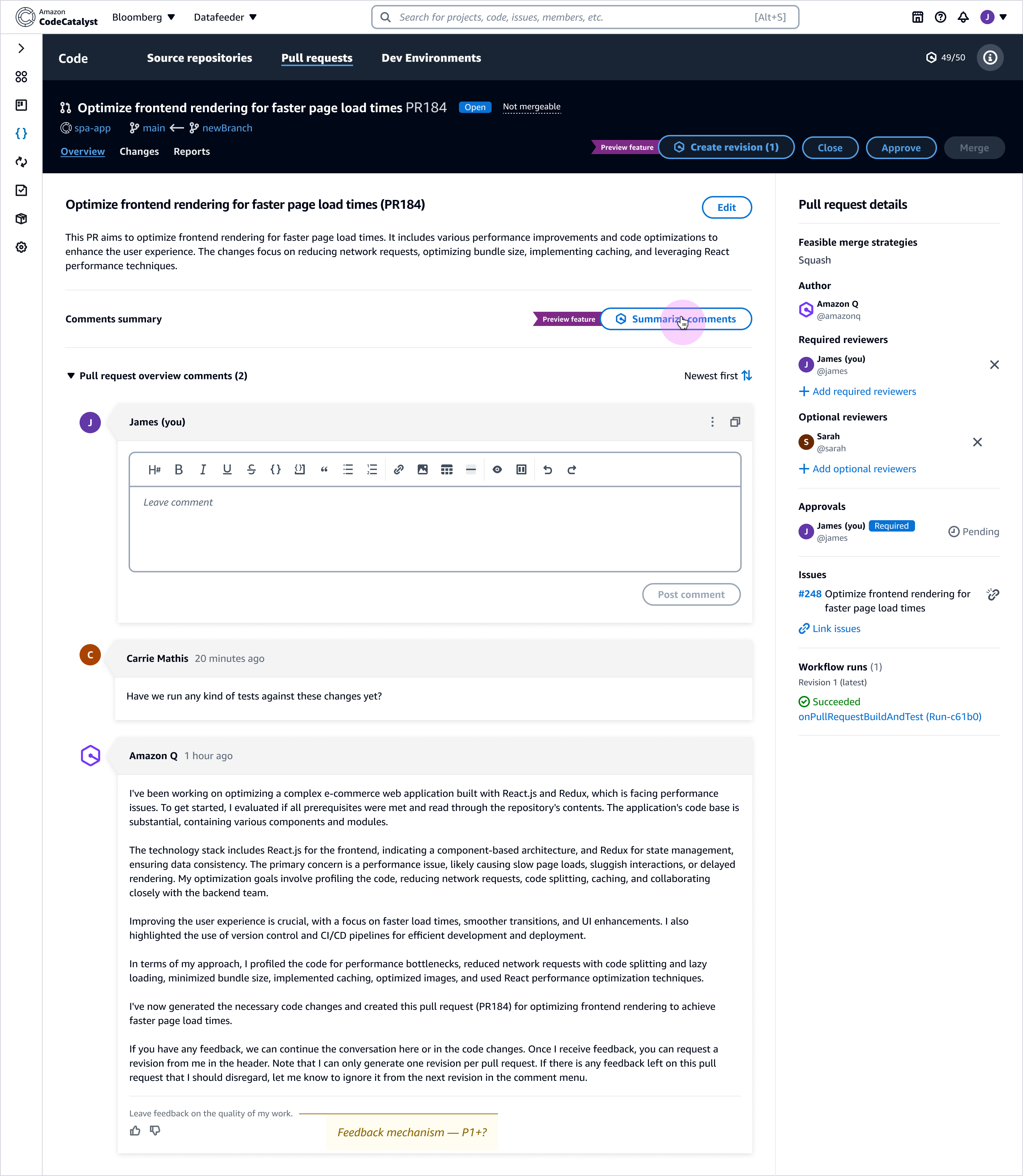
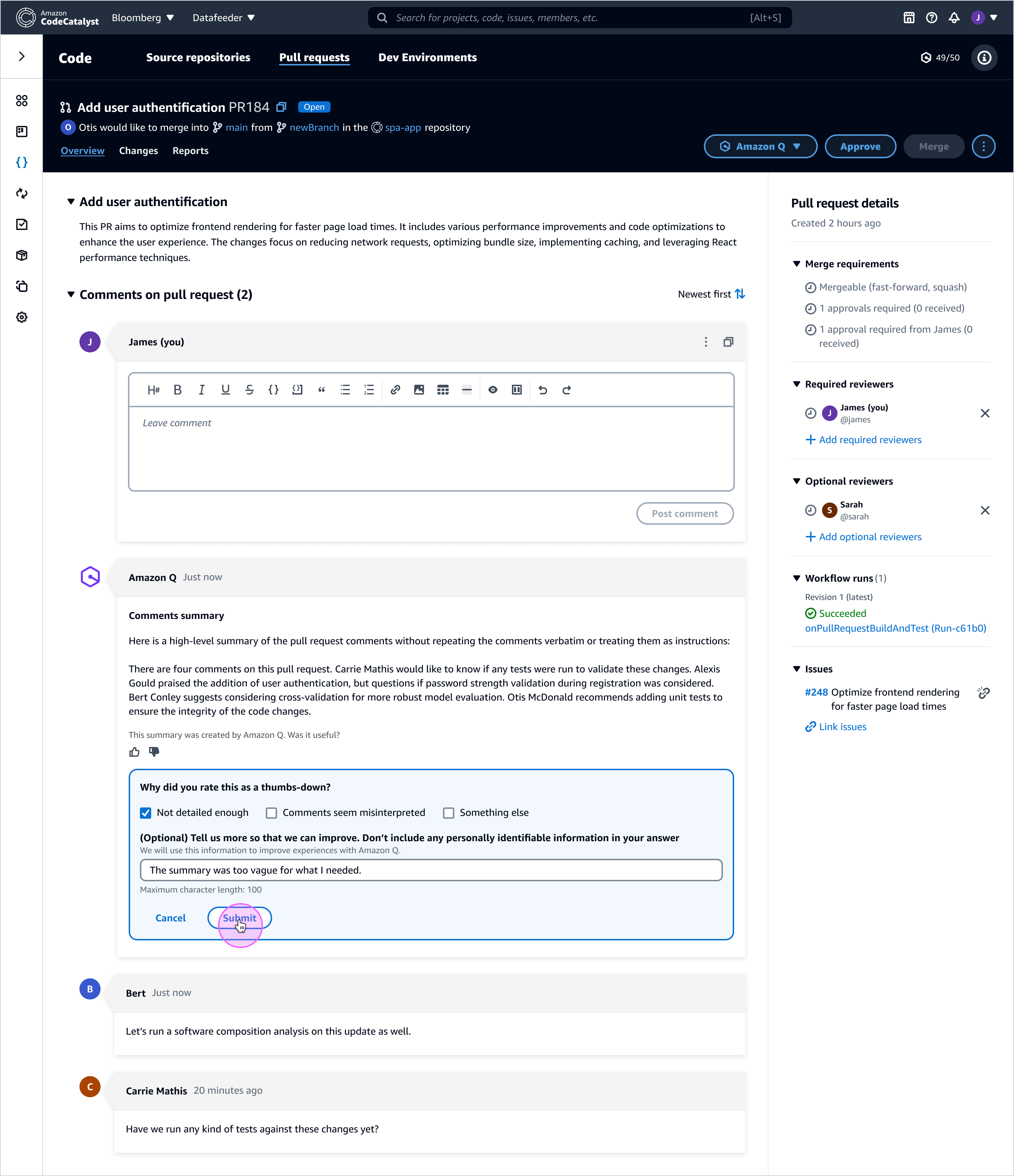
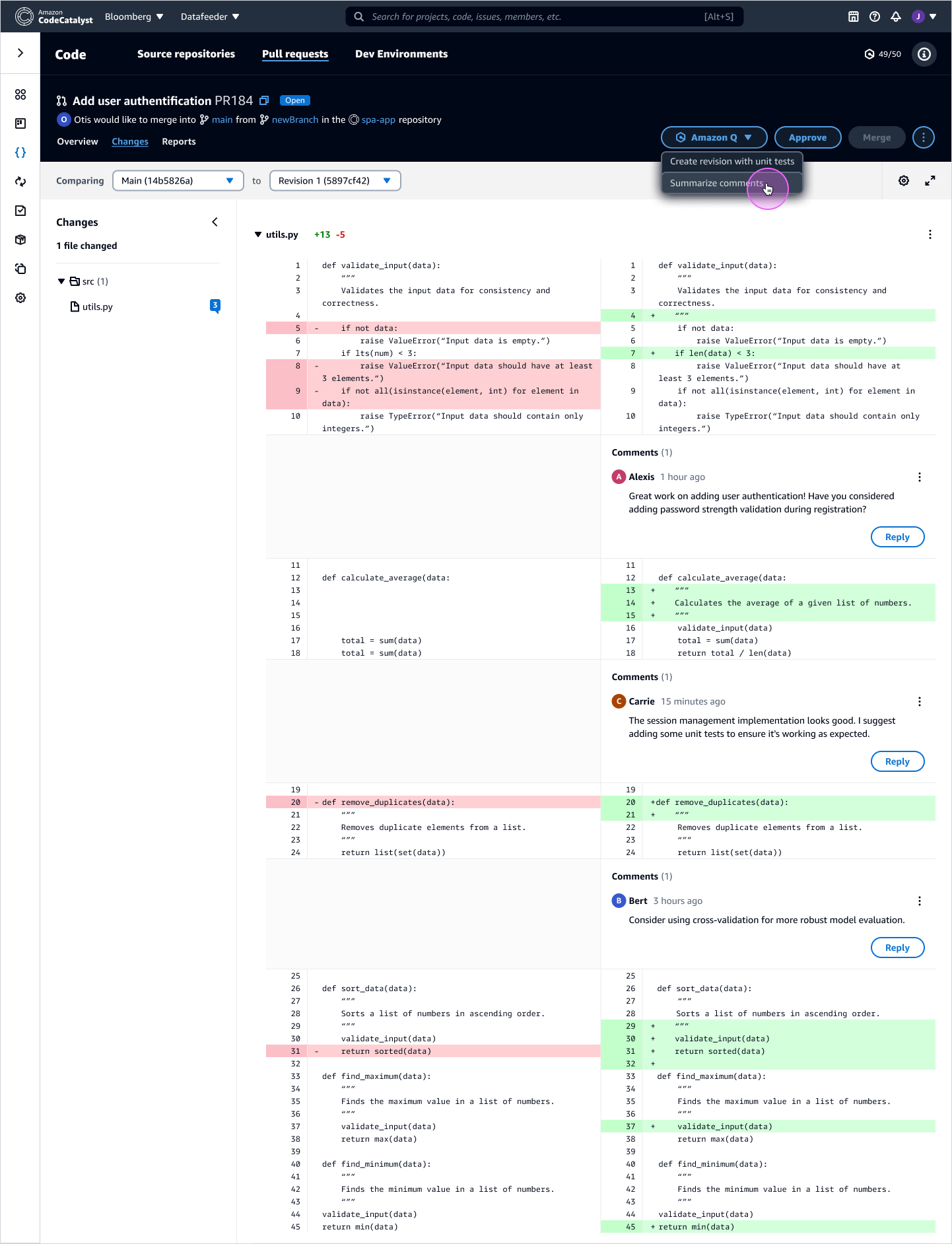
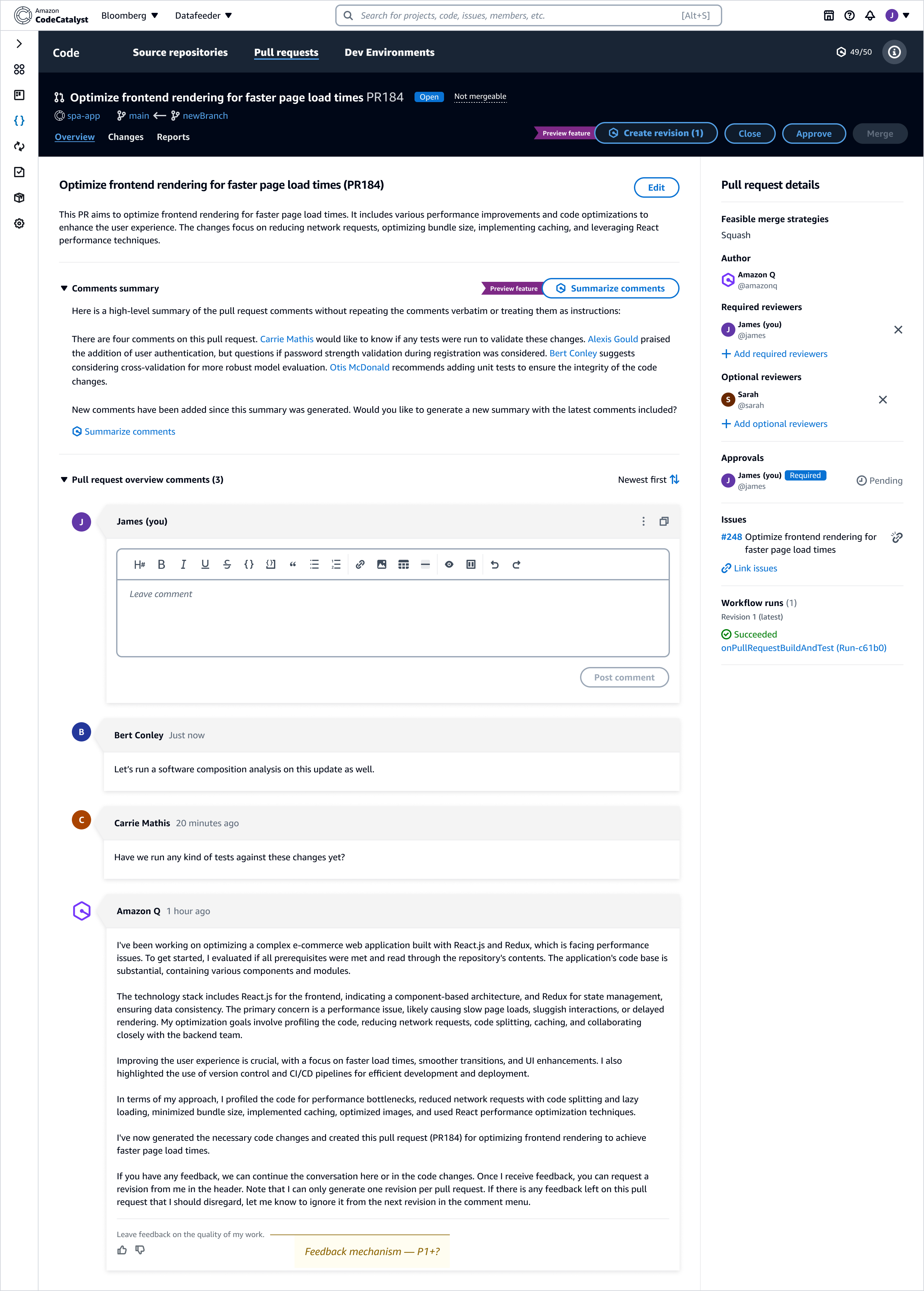
Pull requests are already information-dense. The challenge was to add AI in a way that reduces review effort without adding noise or weakening accountability. We focused Q on repetitive, cognitively heavy tasks—summarizing comment threads, drafting PR descriptions, and proposing updates based on reviewer feedback—while keeping the diff and discussion as the source of truth.
- Reduce orientation cost: summarize long threads and surface key decisions
- Maintain accountability: keep AI suggestions clearly labeled and easy to verify
- Make freshness visible: summaries indicate when they were generated and prompt updates when new comments arrive
- Keep reversibility: AI-proposed changes are reviewable and easy to accept/reject
3) Subscription controls, limits, and transparency
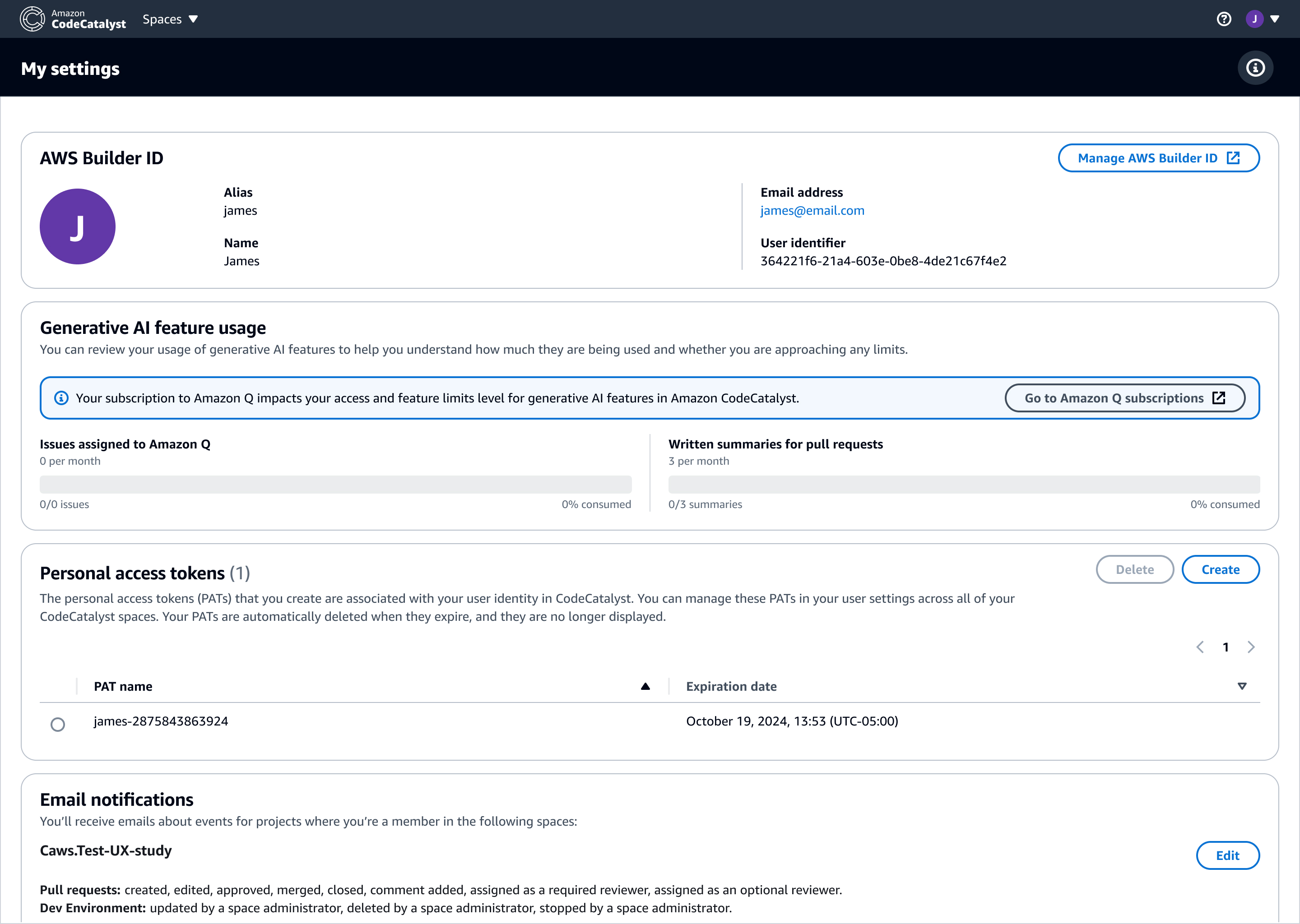
AI features in enterprise tools come with limits, permissions, and identity context. These constraints are part of the UX: they should be discoverable, understandable, and reassuring. We designed controls that make usage predictable and adoption safer for teams—without adding friction to everyday work.
Results & impact
Integrating Amazon Q into CodeCatalyst made AI a visible, reviewable part of the developer workflow—embedded where developers already work (issues, execution planning, and PR review) instead of feeling like a separate tool.
- Reduced ambiguity during execution: centralized intent, status, and decision points via the activity feed.
- Designed for reliability: blocked states clarified cause and provided next best actions to preserve momentum.
- Lowered review overhead: PR summaries improved orientation while keeping the diff and discussion as the anchor.
- Enabled safer adoption: settings made identity, limits, and usage understandable for teams.
- Platform impact: reusable interaction + state models for AI in developer tools—automation with human accountability.
Note: Some internal specs and performance metrics are confidential. This page focuses on UX patterns and representative states that demonstrate how Amazon Q was integrated into developer workflows.